This article may contain affiliate links.
Last updated on November 28, 2026
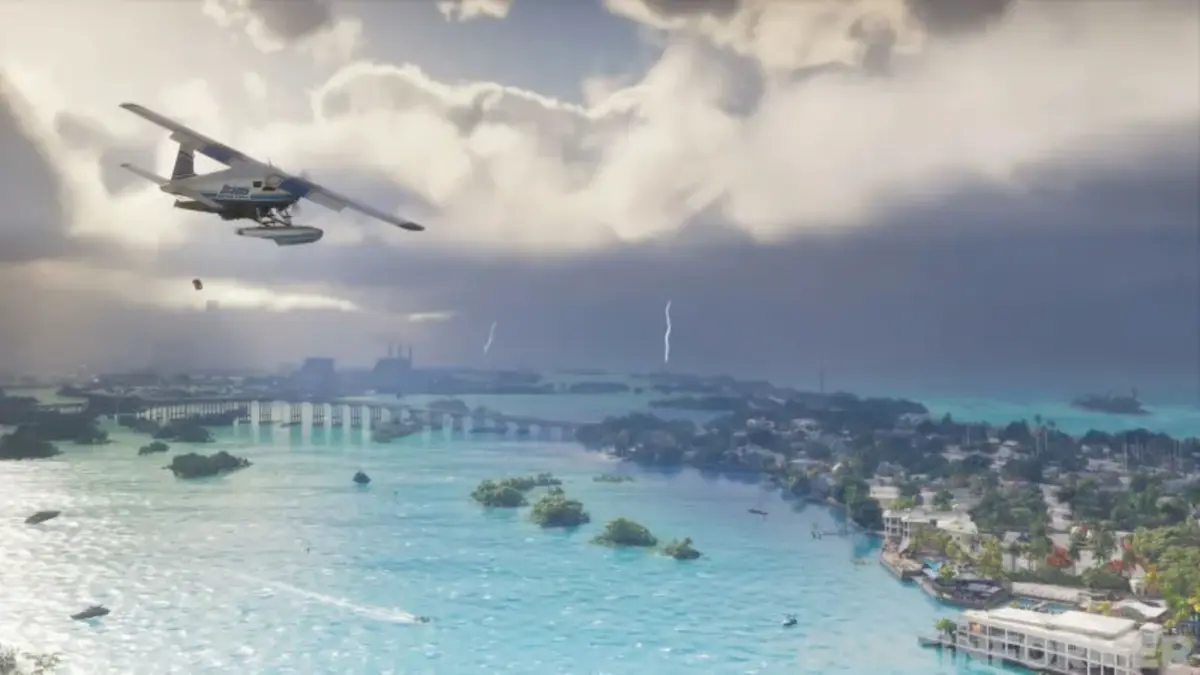
The GTA 6 weather bug has been one of the most common complaints since launch: it’s sunny in Leonida day after day, with no rain and none of the storms Rockstar showed before release. The first patch tried to fix it, but many PS5 players still have the problem. In the meantime, the community has found a fix that only takes a few minutes.
What is the GTA 6 weather bug?
Since the game’s launch on November 19, 2026, many players have noticed that the weather in GTA 6 doesn’t change. The dynamic weather system, one of the features Rockstar promoted the most, stays stuck on clear skies, even after dozens of hours of play.
Rockstar acknowledged the issue. The patch notes for update 01.002.002, released on November 23, say it fixed an issue that kept the weather from changing for extended periods. Still, many players say they haven’t seen much of a difference since the update.
How to fix the GTA 6 weather bug on PS5
The fix comes from the community: it was found by a player on X and shared widely by the GameRoll account. It involves clearing the console’s system cache from Safe Mode:
- Turn your PS5 off completely (not in Rest Mode).
- Hold the power button until you hear the second beep, about 7 seconds. The console starts in Safe Mode.
- Connect your controller with a USB cable and press the PS button.
- Choose option 6, Clear Cache and Rebuild Database.
- Then choose option 1, Clear System Software Cache, and confirm with OK.
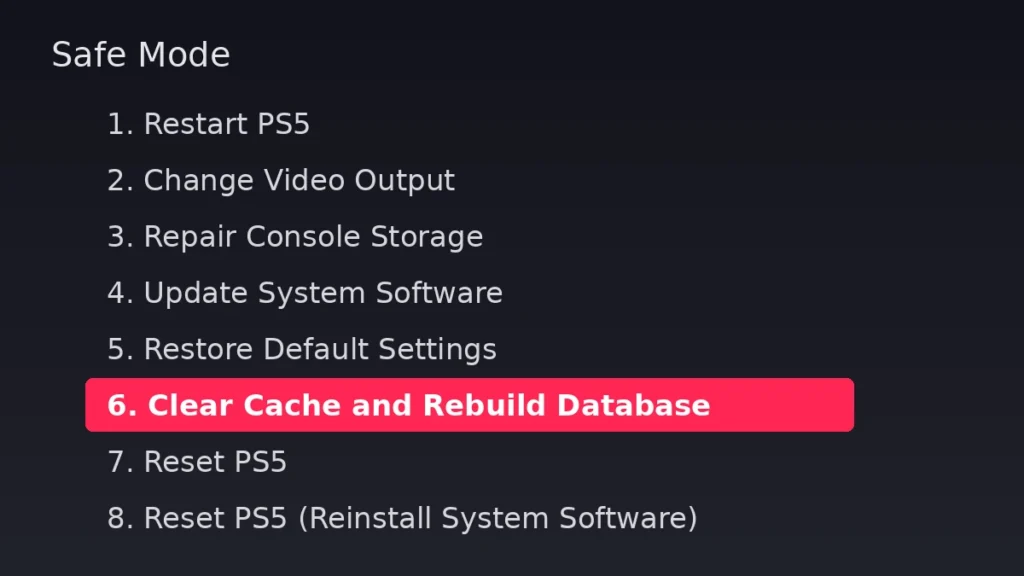
The console restarts after about two minutes. Clearing the cache only removes temporary data, it doesn’t delete your saves or account data. If you want to be extra safe, make a manual save first. Check our guide on how to save your game in GTA 6.
Does it always work?
Not for everyone. Some players, including some with over 50 hours in the game and no storm in sight, saw rain and storms almost right after clearing the cache. Others noticed no change, at least not right away, because the weather system needs time to cycle through different conditions.
Keep in mind that this is a player-found fix, not an official one. Rockstar hasn’t commented on it. If it doesn’t help, your best bet is to wait for the next update.
What about Xbox Series X|S?
The Safe Mode method only works on PS5. On Xbox, you can try a full power cycle: turn the console off with the power button, unplug the power cable, wait two minutes, then turn it back on. It isn’t confirmed that this fixes the bug as well as the PS5 method does.
How to unlock hurricanes in GTA 6
Rain and storms are part of the dynamic weather, so they should show up on their own once you apply the fix above. Hurricanes are a different story: they don’t appear at all until you finish a hidden side mission, Retest Freddie’s Defenses, part of the Strangers & Freaks series.
- Where: the bunker of Freddie, a doomsday prepper and podcaster played by rapper Freddie Gibbs. The bunker is north of Lake Leonida, in North Leonard County. The mission isn’t marked on the map, so you have to find the bunker yourself.
- First visit: break into his compound, getting past mines and drones, and talk to Freddie through the intercom.
- The wait: after a few in-game days, Freddie sends you a message. That’s when the mission actually starts.
- Second visit: break in again, as Freddie upgrades his defenses between visits.
Once the mission is done, hurricanes can hit anywhere in Leonida, at any time. The mission is optional and doesn’t affect the main story.

I’m passionate about books and video games. These two great passions represent, for me, a boundless universe where I can “escape” from reality whenever I need or want to. There are so many stories, worlds, and landscapes where I can instantly teleport that I don’t think a whole lifetime would be enough to explore them all (though it would be my greatest dream to be able to).