This article may contain affiliate links.
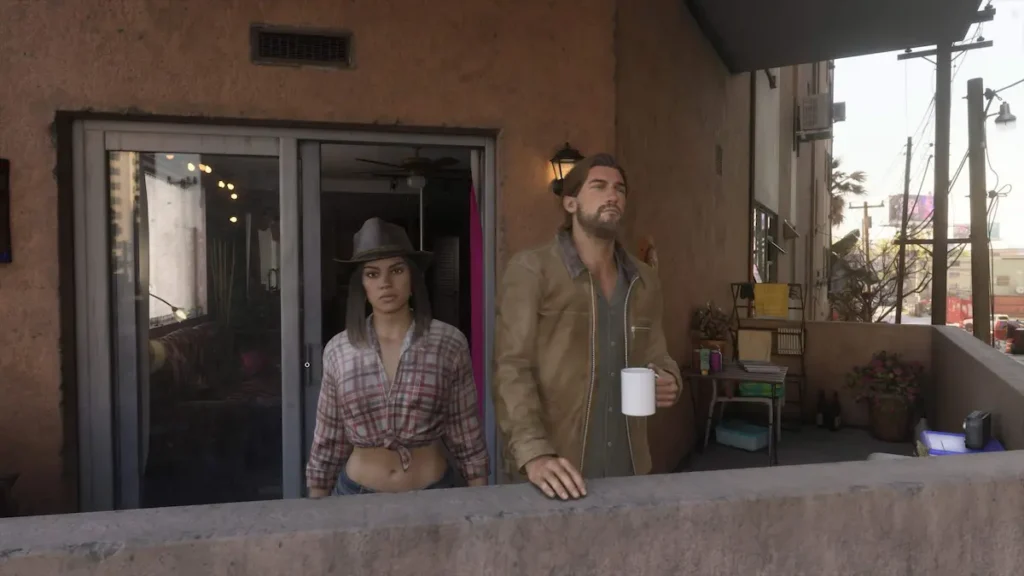
GTA 6 has two protagonists, and to switch characters between Jason and Lucia you just need a simple button combo. The catch is that you don’t get it from the start: the story decides who you control for the first few hours.
Below you’ll find the buttons on PS5 and Xbox, when switching unlocks and why the other character’s portrait is sometimes greyed out.
GTA 6 switch characters: the buttons on PS5 and Xbox
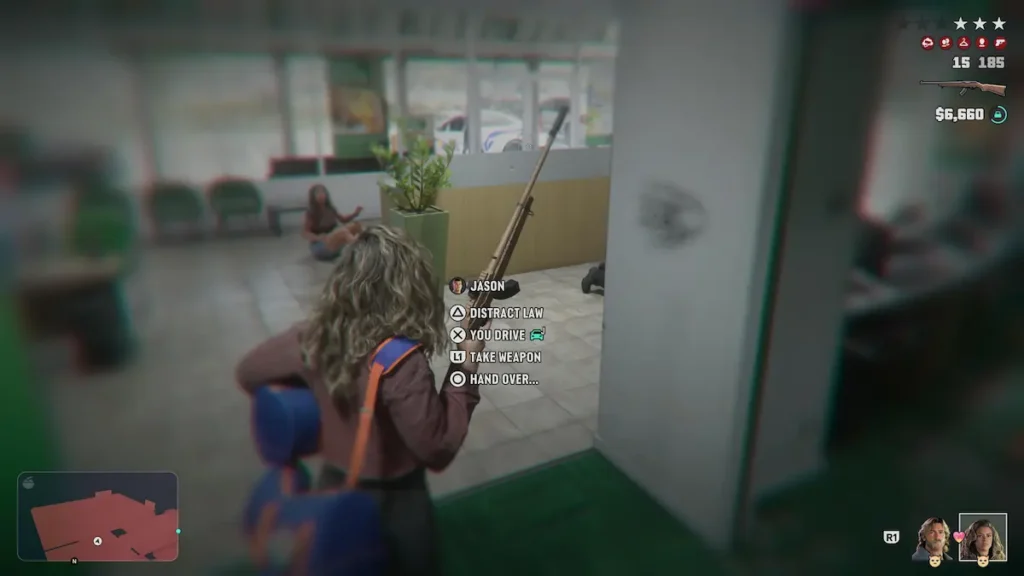
- Hold right on the D-pad. The Partner menu appears in the bottom-right corner, with Jason and Lucia’s portraits.
- Press R1 on PS5 or RB on Xbox.
You instantly take control of the other character: from Jason to Lucia or the other way around. There’s no GTA 5-style character wheel anymore, everything happens from this menu.
While you hold right on the D-pad, the Partner menu also shows partner commands. During a robbery, for example, you can ask your partner to distract the cops, drive, take a weapon or hand something over.
When does switching between Jason and Lucia unlock?
- Prologue: you play as Lucia, who’s in prison.
- Chapter 1: you play almost only as Jason, since Lucia is still locked up. After the Gone Fishing mission you can explore the open world, but still only with him.
- Chapter 2: free switching unlocks after the Breakfast Run and Coffee Break missions. From then on, you can swap between the two whenever you want in the open world.
That’s a few hours of play before you get there, so don’t worry if the menu doesn’t show up at first.
Why is Jason or Lucia’s portrait greyed out?
Even after it unlocks, you sometimes can’t switch. A greyed-out portrait means the other character isn’t available right now. The most common reasons:
- You’re on a mission made for one character. The portrait stays grey until you finish it.
- It’s a story moment. Some scenes switch you to the other character automatically or lock them out.
- You’re at home. Inside a safehouse, switching can be blocked. Step outside and try again.
- Your partner is busy. For example, if the character you left called a RydeMe and is still on the way, the portrait is grey for a short while.
The restriction usually lifts quickly: finish your current objective or wait a moment.
Where to see their stats
The pause menu has a separate Jason & Lucia tab, next to Map, Brief and Progress. That’s where you’ll find info on each character.
More useful guides to get started
Since you can’t replay missions, it’s a good idea to keep saves from the big moments. Check out our guide on how to save your game in GTA 6. If you’re just starting out, read what to do in your first hours of GTA 6 too.

I’m passionate about books and video games. These two great passions represent, for me, a boundless universe where I can “escape” from reality whenever I need or want to. There are so many stories, worlds, and landscapes where I can instantly teleport that I don’t think a whole lifetime would be enough to explore them all (though it would be my greatest dream to be able to).