
Last updated on July 16, 2026
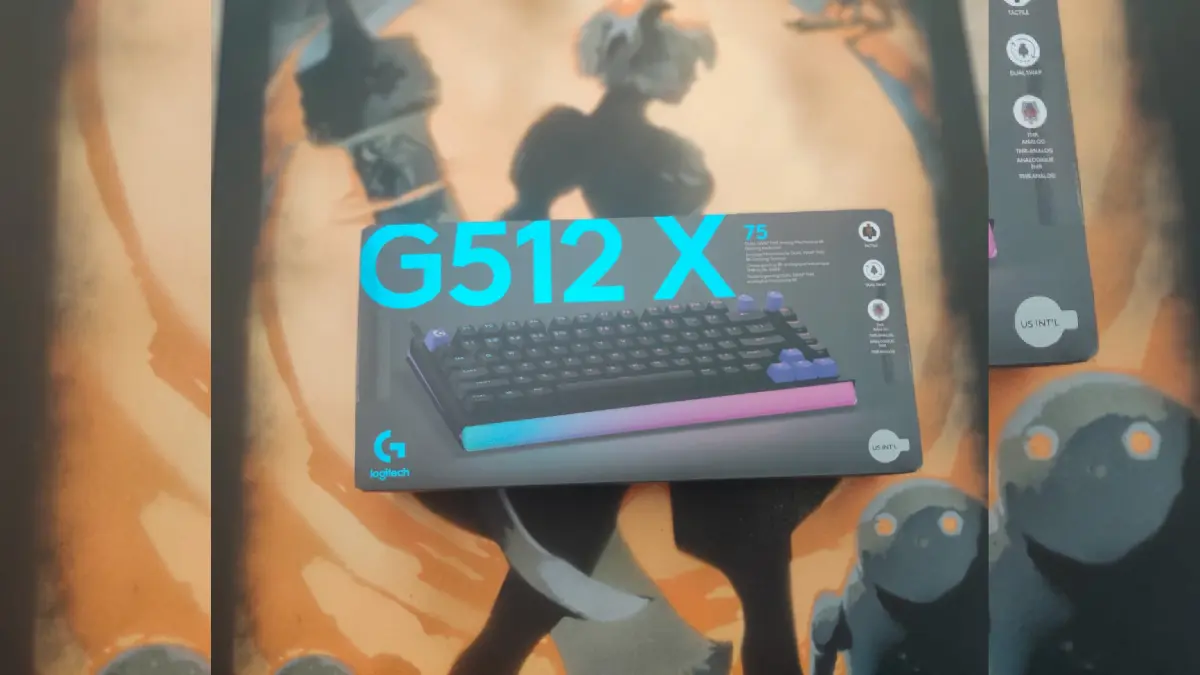
I will admit it right away, I fell a little in love with this keyboard from the very first evening. The Logitech G512 X 75 slipped into my gaming routine without any drama, no forced software installs, no three restarts before I could type a single letter.
I plugged in the cable, opened League of Legends, jumped straight into my favorite ARAM queue, and that was it, everything worked from the first try. It sounds like a small thing to praise, but for someone who has spent entire evenings fighting a new keyboard just to get it running properly, that kind of simplicity genuinely made me smile.
Technical details
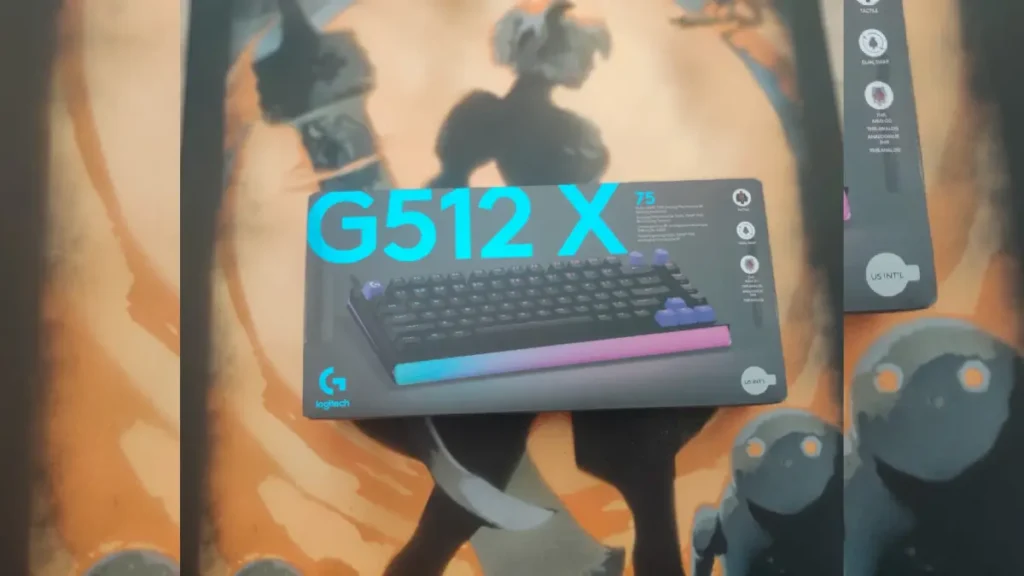
To stay fair and not just sentimental, let me go through the technical side for a moment. The G512 X 75 comes with a compact 75 percent layout, built for people who want more free desk space without giving up functionality.
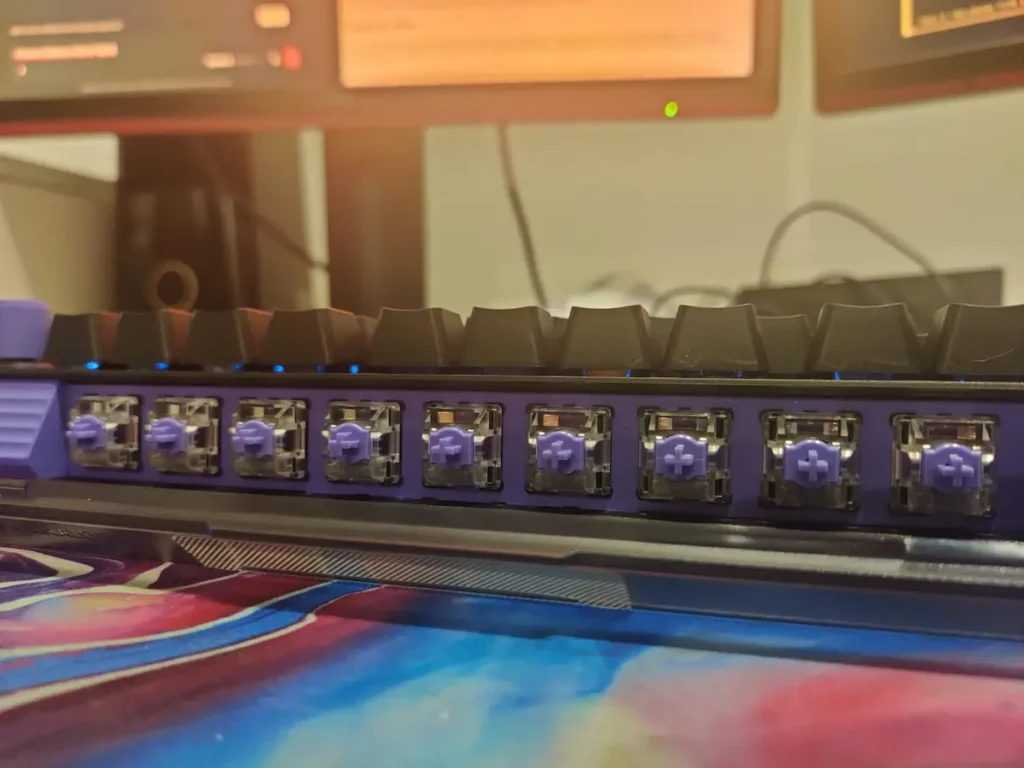
At its core sits Dual Swap technology, which lets you combine analog switches with classic mechanical switches on the same board, depending on what you want from each individual key. The analog switches use TMR sensors, a technology that reads how deep a key is pressed and turns every keystroke into a gradual input instead of a simple on or off, which translates into much finer precision in game.
The keyboard also runs an 8K polling rate, so response time feels almost instant. The box lists US INTL for the layout, and the package includes nine spare analog switches, SAPP rings for a second actuation point, and a few extra keycaps. For the full spec sheet, you can always check the official Logitech G512 X 75 product page.
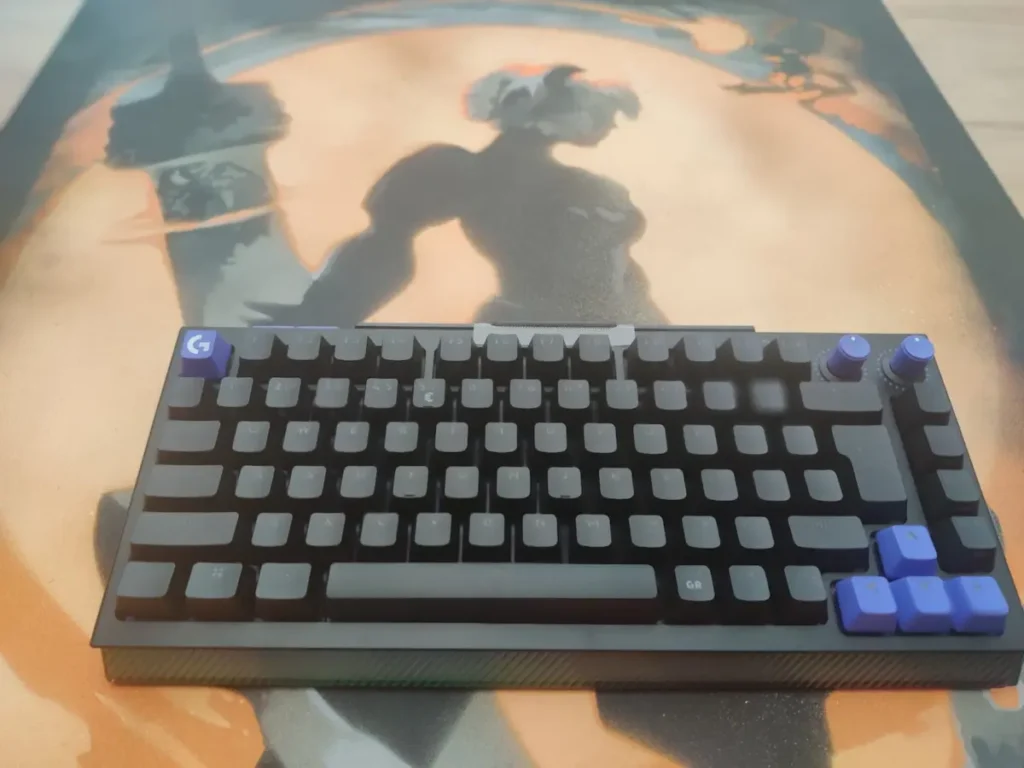
The sound of the keys
Now for my favorite part, the sound. It is nothing like a clicky, aggressive sound that ends up annoying you or the person sitting next to you after an hour of gaming. It is a calm, almost rhythmic sound that personally reminds me of raindrops.
Every press has a soft, muted tone, and during my long ARAM sessions I genuinely noticed the difference, your ears do not get tired listening to a loud keyboard for hours in a row.
Honestly, if I had owned this keyboard back when my daughter was little and going through her colic phase, I probably would have started writing novels next to her. I already know this key sound would have worked as pure ASMR, the perfect white noise to put a baby to sleep in under a minute.
How it feels to type on
Beyond the sound, what really surprised me is the feeling under my fingers. Even though the sound stays discreet, toward the end of each keystroke you feel an extra bit of weight, a resistance that builds up slightly and then releases clearly.
It is that exact moment when you feel you pressed the key exactly right, a physical confirmation of precision, almost like dotting the i on every letter you type. I am not sure how else to describe it, but there is a real, almost childlike satisfaction in the simple act of pressing a key. It is the kind of feeling that does not translate well into words, you have to try it yourself to understand what I mean.
No dedicated numpad
Not everything was smooth sailing, obviously. The 75 percent layout comes with a well known tradeoff, no dedicated numpad. I personally work with numbers a lot, and my hand was used to reaching for the numpad on its own, a reflex built over years. Switching to the top number row cost me a bit of efficiency at first.
This is not a flaw of the keyboard, just a real productivity difference for people like me. One small clarification so nobody gets the wrong idea, on a QWERTY layout the top number row works normally without needing Shift, any confusion only shows up if your operating system is set to a different layout, which happened to me at one point with French AZERTY, where those number keys require Shift.
The volume wheel
Another point that made me frown a little is the volume wheel. It looks great and blends nicely with the rest of the keyboard visually, but during gameplay it is not as quick to use as I would like. It needs two fingers and a bit of attention so you do not overshoot the level you wanted, since it has fairly firm resistance.
And since I adjust volume fairly often, depending on how I am wearing my headset or what I want to hear around me, this felt like a small waste of time. I clearly prefer a horizontal slider style wheel, one you can adjust with a single quick finger motion without even thinking about it.
No wrist rest
To be fully honest, the lack of a wrist rest genuinely bothered me, physically. During my long gaming sessions, with any ability or action spammed constantly, my hand stays fixed on the QWER area for long stretches, without the position changes you get with an FPS game, and discomfort in my wrist and fingers showed up sooner than I expected.
At one point it actually pulled my focus away from the game, my mind drifted to the discomfort exactly when I needed to concentrate on a critical save or play.
It is an understandable design choice, compact keyboards aim for the lowest possible profile and leave the wrist rest decision up to each person, but for anyone playing MOBA titles, where the hand basically stays still for minutes at a time, its absence is definitely noticeable.
In game performance
I played my first two matches entirely on the default G HUB settings, without touching the actuation point or the rapid trigger function, and the experience was solid even like that. I personally like not wasting time tweaking settings before jumping into a match, and here the keyboard genuinely performs well right out of the box, with zero adjustments.
On the precision side, during combat, spamming Q W E R, I did not miss a single input, everything felt natural and easy. I cannot say I noticed a major difference compared to my previous keyboard on this front, but overall I think that is a good thing, it shows consistency, no regression and no unpleasant surprises in the middle of a team fight.
RGB lighting
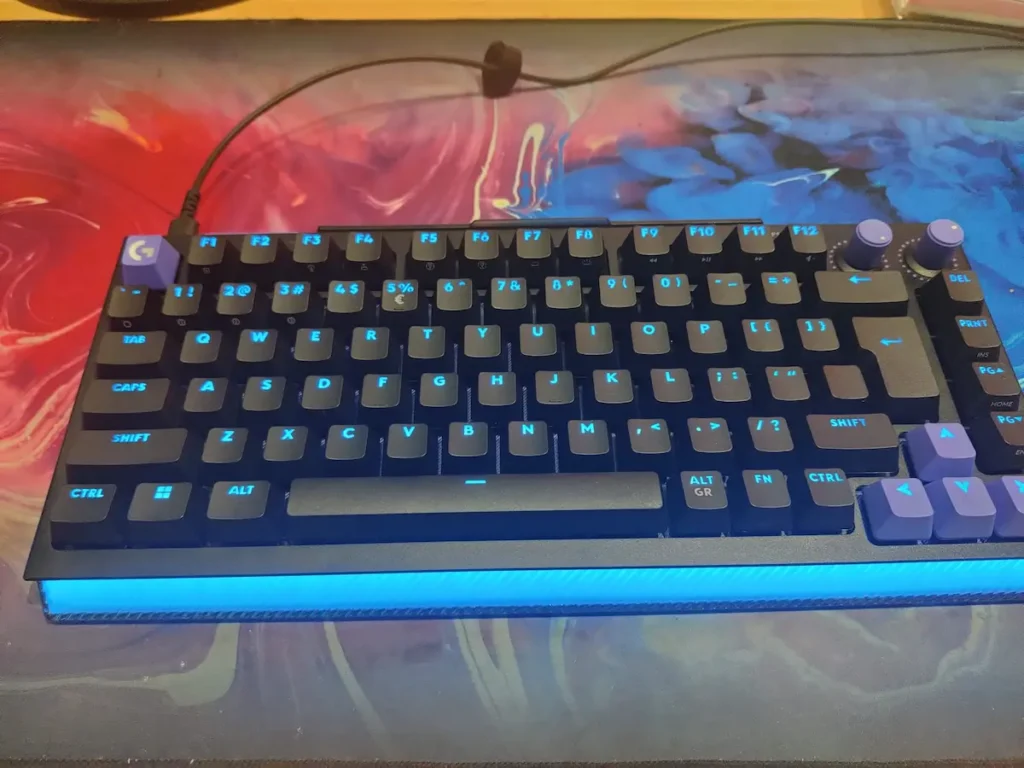
As for the RGB lighting, the truth is that in the middle of a match you barely have time to look at it, my attention was on the map, not on the keys.
What I did appreciate is that the keyboard has a dedicated dial, next to the volume one, specifically for brightness, so you can adjust it quickly without ever opening G HUB, a small but genuinely practical detail.
Stability and weight
On the stability side, the keyboard sits firmly anchored on the desk even during my more abrupt movements in team fights. It has silicone feet both at the front and the back, with the rear ones being taller, which gives a pleasant overall tilt while typing that I personally like and find helpful.
On top of that, the keyboard has considerable weight, it is not a lightweight board at all, and the combination of weight and silicone feet keeps it locked in place on the desk no matter what I do in game.
Details on the back of the keyboard
A small but useful detail I discovered along the way sits on the back, on the upper left side, where the keyboard has two purple buttons. The first one activates game mode, disabling the Windows key so you cannot accidentally exit a match with a stray press, and the second one is dedicated to identifying the analog switches, it basically scans and shows you visually, through lighting, exactly which keys have analog switches installed. It is not a feature you use every day, but when you need it, especially if you swap your switch setup often, it genuinely saves you the hassle.
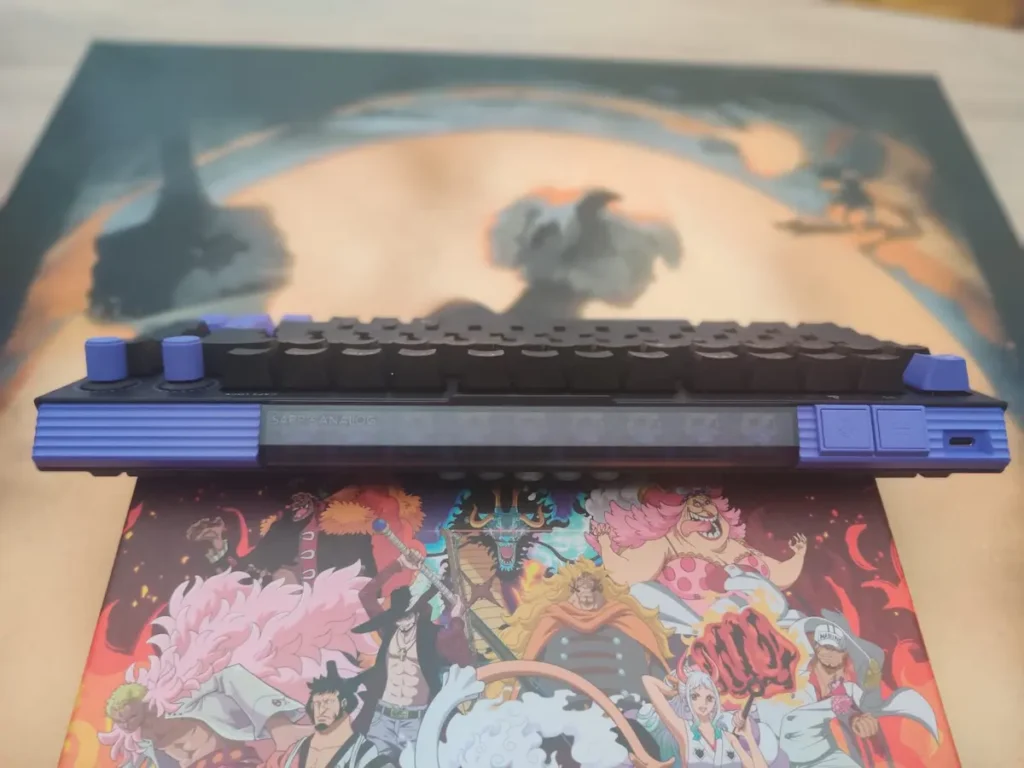
Also on the back, I found a built in compartment holding the spare analog switches, already mounted and visible, almost like a tiny display case. You no longer need to dig through a separate box in a drawer whenever you want to do a swap, everything is right there on the keyboard.
Next to this compartment I also found a few small silicone rings, the SAPP rings, which fit onto the analog switches to create a second actuation point, essentially extra resistance toward the end of the keystroke. It is an advanced feature for people who like to physically fine tune the feel of a press, not just adjust it through G HUB.
Conclusion
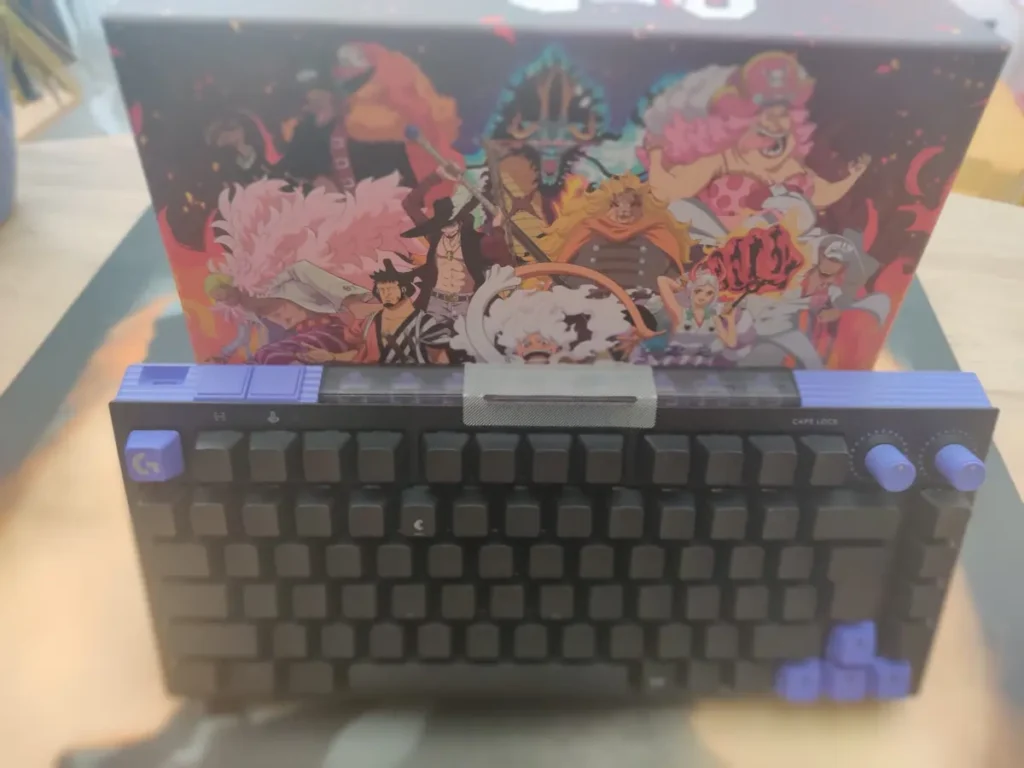
Overall, the G512 X 75 is, for me, an effective gaming keyboard, compact, stable and accurate, one I grew attached to faster than I expected. I would confidently recommend it to anyone looking for a solid keyboard for long MOBA sessions or any game with constant key spamming, especially if you value simple, plug and play connectivity without any hassle.
Still, two points remain debatable for me, depending on personal preference, the volume wheel, which does not offer as quick an adjustment as a horizontal slider wheel, and the missing wrist rest, which can be felt during long sessions, even though buying a separate one is always an option. For people who work with numbers often and need a dedicated numpad, the 75 percent layout stays a real compromise to weigh.
Beyond all that though, what a pleasure it is to type on this keyboard, you could write for hours and the fingers just seem to glide across the keys on their own.

I’m passionate about books and video games. These two great passions represent, for me, a boundless universe where I can “escape” from reality whenever I need or want to. There are so many stories, worlds, and landscapes where I can instantly teleport that I don’t think a whole lifetime would be enough to explore them all (though it would be my greatest dream to be able to).